Here is some basic code to cycle through a datasource in AX 2009 X++ and then loop through all of the data sources and their ranges and present some info to the users. Its nice for analyzing queries if something is not acting right.
If you use this code, please leave me a comment and say thank you. Its nice just to have someone say hi or thanks for using code like this. If you don't use it and it helps you out, feel free to say so to. We're all friends here :-)
// START CODE
// 2009 DAX DUDE
int test1;
int test2;
int dsCount;
int dsPlace;
QueryBuildRange qbrTEST;
QueryBuildDatasource qbdsTest;
dsCount= queryRun.query().dataSourceCount();
for (dsPlace= 1; dsPlace<= dsCount; dsPlace++)
{
qbdsTest = queryRun.query().dataSourceNo(dsPlace);
test1 = qbdsTest.rangeCount();
for (test2 = 1; test2 <= test1; test2++)
{
qbrTEST = qbdsTest.range(test2);
info (strFmt("Range Field %1, Value %2", qbrTEST.AOTName(), qbrTEST.value()));
}
}
// END CODE
Tuesday, June 28, 2011

GUEST POST: Setup email alerts in DAX 2009
I have to include a reference to Nagaraj Jadhav's blog as he does a great job with all his posts.
This is a great blog around setting up email alerts in AX 2009. I would normally try to improve upon things but I don't think I can on this one. Enjoy!
Below
http://learnax.blogspot.com/2010/12/setup-email-alerts-in-dax-2009.html
This is a great blog around setting up email alerts in AX 2009. I would normally try to improve upon things but I don't think I can on this one. Enjoy!
Below
http://learnax.blogspot.com/2010/12/setup-email-alerts-in-dax-2009.html
Sunday, April 24, 2011
Designing an interface queue in AX:
When I create tables that are used in the interface to hold large strings of data (like a large blob or XML from external system or AX report), I put those fields in a separate table linking to the original 'metadata' table through a unique key. This would make the typical one table interface turn into two tables: one to hold the metadata for the user and the other to hold the large files.
In using this design, there are many upsides but two primarily stick out that I would like to talk about:
The first is the obvious performance gain in the form used to manage the records in the interface. When, for example, 20 records are retrieved from the database, records that do not contain an extremely large fields will come back faster.
The second is in regards to the maintenance. A user may not need the data stored in the large fields after a few weeks but would still want to maintain the history of that data coming into the system. To do this on a single table structure would require a cleanup job to specifically clear out the field holding the large data. Doing this in a two table structure would allow the entire record to be deleted, but leave the original record in place. A simple inner join between the two tables would show all records in those tables that still have the data in place.
Discuss your preferred way to do this below in the comments section...
Saturday, April 23, 2011
Improve Performance for slow retrieval of records in a grid
Sometimes there are forms that take a long time to load the data in a grid. A common example of this would be for an AX interface where there is a grid that holds records in various statuses (e.g. Waiting, Error, Ended, etc) and carry data in the data source table that the user would normally not care about seeing (e.g. XML).
I generally would not include a large field on a table that is used in something like an interface. I have recommendations for designing one in my blog post called "Recommendation in designing an interface queue in AX".
The following fix may not be the best option for addressing the issue as there are lots of factors that can affect performance, but this fixed it for me. Its fixed the issues for me in a few instances that I've seen and have remained stable with no issues for over 3 years.
There is a property on a form's data source called 'OnlyFetchActive' that was able to resolve the problem for me. I've included the exact information from MSDN to assist you in determining whether this could work for your issue.
 From MSDN AX 4.0 - Form Data Source Properties "Determines whether all fields in the data source should be fetched, or only those that are used by controls on the form.
This property is designed to be used in lookup forms. There is no code in these forms, and they open more quickly because the result set is smaller.
When the OnlyFetchActive property has been set to Yes, records cannot be deleted from within the form. This is to preserve data integrity by ensuring that a delete operation is never attempted on incomplete records. If the user attempts to delete a record, an error message is issued."
Monday, April 18, 2011
AX AOS randomly crashes after a code promotion
I recently encountered an issue where a code promotion was done from a staging environment to a production environment and, the next day, the AOS'es would all crash in both client and batch (server) mode when a process not relating to the code promotion (Invoicing) was run. The code all compiled in PROD and everything was working great during all tests in lower environments.
Simple solution:
Run a compile forward on any base class (eg Classes\CustVendSettle) affected from the previous promotion.
The journey to this solution:
After looking at the AX Crash Dump file, we were able to extract out the call stack to determine where the crash was occurring. It pointed to a class (eg CustVendSettle_VendPaym) inheriting a base class (eg CustVendSettle) looking for a global variable that was found in the CustVendSettle class. The references to CustVendSettle were not updated for the CustVendSettle_VendPaym class. This was causing the AOS to crash.
The take away:
I normally compile forward when errors are received in the process being imported. There were no errors on this import and the process in PROD was running fine during the weekend validation testing.
There is a difference between a compile and compile forward. A compile just compiles the class that is compiled. A compile forward on the main (eg CustVendSettle) will compile that class as well as update the references to that for all class that inherit it (eg CustVendSettle_Cust, CustVendSettle_VendPaym, etc).
A compile forward will not run automatically on import and all classes could compile successfully if just compiled. Anytime a change is made to a base class involved in inheritance (eg CustVendSettle, SalesFormLetter, etc), a compile forward on that class is needed. A good example of something that would be guaranteed to need this is making a change in the classDeclaration on a class that is inherited.
In AX 2009, a compile forward can be done by right-clicking on the object that is inherited, go to 'Add-Ins', then 'Compile forward'. Once this was done, the process worked and no longer crashed the AOS. Hooray...
Hope that helps anyone hitting the same issue.
Simple solution:
Run a compile forward on any base class (eg Classes\CustVendSettle) affected from the previous promotion.
The journey to this solution:
After looking at the AX Crash Dump file, we were able to extract out the call stack to determine where the crash was occurring. It pointed to a class (eg CustVendSettle_VendPaym) inheriting a base class (eg CustVendSettle) looking for a global variable that was found in the CustVendSettle class. The references to CustVendSettle were not updated for the CustVendSettle_VendPaym class. This was causing the AOS to crash.
The take away:
I normally compile forward when errors are received in the process being imported. There were no errors on this import and the process in PROD was running fine during the weekend validation testing.
There is a difference between a compile and compile forward. A compile just compiles the class that is compiled. A compile forward on the main (eg CustVendSettle) will compile that class as well as update the references to that for all class that inherit it (eg CustVendSettle_Cust, CustVendSettle_VendPaym, etc).
A compile forward will not run automatically on import and all classes could compile successfully if just compiled. Anytime a change is made to a base class involved in inheritance (eg CustVendSettle, SalesFormLetter, etc), a compile forward on that class is needed. A good example of something that would be guaranteed to need this is making a change in the classDeclaration on a class that is inherited.
In AX 2009, a compile forward can be done by right-clicking on the object that is inherited, go to 'Add-Ins', then 'Compile forward'. Once this was done, the process worked and no longer crashed the AOS. Hooray...
Hope that helps anyone hitting the same issue.
Friday, April 1, 2011
AX 2009 Best Practice Violation: Display methods must be typed ('VarString, displayMethodName')
Hit a display method violation I recently hit in AX 2009: 'Display methods must be typed ('VarString displayMethodName'). There wasn't anything online about this issue outside of MSDN documentation about the BP so I thought I would put this out there for whoever wants to read it.
From: http://msdn.microsoft.com/en-us/library/bb530207.aspx
_________________________________________________________________________________
_________________________________________________________________________________
How to resolve the BP deviation: Check the display method in question (eg 'displayMethodName' from my example above). Check the top line where you declare the method. You cannot use a non-EDT string for a display method. The line 'display str displayMethodName(CustTrans _custTrans)' would need to be (as an example) 'display CashDiscAccount displayMethodName(CustTrans _custTrans)'. Note that the 'str'was replaced with the EDT of the returned value of the display method.
Making this change to the display method will solve the issue.
From: http://msdn.microsoft.com/en-us/library/bb530207.aspx
_________________________________________________________________________________
| Display methods must be typed ('%1 %2') | For more information, see Best Practices for Unique Labels. | Table No Extended Return Type, @SYS60362 |
How to resolve the BP deviation: Check the display method in question (eg 'displayMethodName' from my example above). Check the top line where you declare the method. You cannot use a non-EDT string for a display method. The line 'display str displayMethodName(CustTrans _custTrans)' would need to be (as an example) 'display CashDiscAccount displayMethodName(CustTrans _custTrans)'. Note that the 'str'was replaced with the EDT of the returned value of the display method.
Making this change to the display method will solve the issue.
Wednesday, March 30, 2011
BOMConsistOf Report different in AX 2009 from 4.0
There was an issue where a customer upgraded from AX 4.0 to 2009 and reported a problem with the BOMConsistOf (Lines) report which prints items that the bills of materials are composed of, or versions used by the items.
Figure 1 (AX 4.0) and 2 (AX 2009) below are the same X++ report and have the same code (even modified the XPO file to import the code from one to the other to assure that they are equal) but they still look different when run under the same data.
The strange thing is that this is coming from the same AX system (AX 2009) with the same code and data set. The only difference is in name. I exported the 4.0 report into a new report in AX with a new name to verify the differences, exported this XPO once the report matched the old one, then modified the XPO contents so it would import into the base report but still no success.
Thought I would note this on here if anyone is curious. I fixed this issue by importing the 4.0 report to a new custom report in AX 2009 called 'BOMConsistOf_version40' and point the security key to the new report. Works like a charm. Still don't know why this incongruency exists...
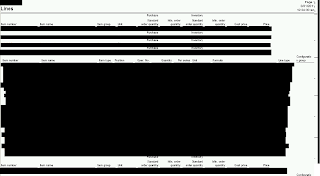

Figure 1 (AX 4.0) and 2 (AX 2009) below are the same X++ report and have the same code (even modified the XPO file to import the code from one to the other to assure that they are equal) but they still look different when run under the same data.
The strange thing is that this is coming from the same AX system (AX 2009) with the same code and data set. The only difference is in name. I exported the 4.0 report into a new report in AX with a new name to verify the differences, exported this XPO once the report matched the old one, then modified the XPO contents so it would import into the base report but still no success.
Thought I would note this on here if anyone is curious. I fixed this issue by importing the 4.0 report to a new custom report in AX 2009 called 'BOMConsistOf_version40' and point the security key to the new report. Works like a charm. Still don't know why this incongruency exists...
Figure 1 - BOMConsistOf report from AX 4.0

Figure 2 - BOMConsistOf report from AX 2009
Subscribe to:
Posts (Atom)