Thursday, December 13, 2012

Windows 8 Cisco VPN error - Reason 442: Failed to enable Virtual Adapter

I did a clean install of Windows 8 on my laptop and was reinstalling software. I was importing and attempting to connect to a client that used a Cisco setup but was hitting the error: "Reason 442: Failed to enable Virtual Adapter." seen in Figure 1.

SOLUTION: Needed a registry change for Cisco because of an issue with the program on Windows 8. Solution at below in post:


Figure 1 - Reason 442 error

Things went down in the following fashion:
  • I wasn't already on the network via hard wire. Of course not
  • The VPN Network adapter was enabled. Didn't work
  • Make sure the VPN client was on the latest and greatest release. Sure is
  • Clicked on diagnostic for troubleshooting. Got the information in Figure 2
  • Ran 'ipconfig \release' and 'ipconfig \renew' in command prompt. Nothing...
  • Made changes to the registry per the below post. WORKED!
Here are the steps to making the registry change to fix this Reason 442 error.
  1. Navigate to the registry
    1.  Hit Windows Key+R (This opens the Run prompt)
    2. Type 'regedit' in the field and click 'OK' (or just hit the enter key
  2. Navigate to HKEY_LOCAL_MACHINE\SYSTEM\CURRENTCONTROLSET\SERVICES\CVIRTA
  3. Locate the DisplayName key (Figure 3 below)
  4. Change the value to the following
    1. x86 (32-bit) - "@oem8.inf,%CVirtA_Desc%;Cisco Systems VPN Adapter” to "Cisco Systems VPN Adapter”
    2. x64 (64-bit) - "@oem8.inf,%CVirtA_Desc%;Cisco Systems VPN Adapter for 64-bit Windows” to "Cisco Systems VPN Adapter for 64-bit Windows”
If that doesn't work, you can change the settings back but it won't do anything for you.

Its that simple!

Figure 2 - Troubleshooting diagnostic results. It's a red herring..


Figure 3 - Registry key location for the DisplayName key

Figure 4 - Change the key name to 'Cisco Systems VPN Adapter for 64-bit Windows'

Friday, December 7, 2012

How to install a new font on Windows 7

I was trying to install a windows 7 font and couldn't figure it out. I had some old tutorials from Windows Vista and even Windows 3.1 but the install for Windows 7 didn't seem to mesh with what I was reading on blogs.

One gripe I have with things on the internet is that some people make things seem so complicated. This is really a one picture step, not 14 (at least in this example). All you have to do is right click on the font and select 'install'. There will not be a prompt that shows up after doing so.

Note that if you have a program like Photoshop, GIMP, or something running during the install, you will probably need to restart those programs to see the new font.

Thats it! If you hit issues with this or its more complex, I haven't run into it but post it below and we can figure it out. No problems there.

Thursday, December 6, 2012

Unable to install Visual Studio 2012 in Windows 8

I was trying to install Visual Studio Premium 2012 (VS 2012) in Windows 8 and was getting the error: ' Setup Blocked: Correct the following problems and then run setup again. Click here to see the most common issues and workarounds or here to review the log file.  [XMARK] The computer needs to be restarted before setup can continue. Please restart the computer and run setup again.'

I looked at the log file and saw the following as the last 5 lines:
[0D3C:0698][2012-12-06T11:28:31]: MUX:  Non-applicable packages grouped by Selectable Items:
[0D3C:0698][2012-12-06T11:28:32]: MUX:  User feedback control is Enable because opt-in value is NotDefined
[0D3C:0D34][2012-12-06T11:28:32]: MUX:  View loaded
[0D3C:0D34][2012-12-06T11:28:32]: MUX:  Go to Blocker page.
[0D3C:0D34][2012-12-06T11:28:32]: Detect complete, result: 0x0


I was able to resolve this issue by installing the latests Windows updates and restart the machine. Pretty simple. Go figure that the infolog would actually tell me correctly what to do without the help of the label file.

Tuesday, November 13, 2012

AX show container in infolog

There are times where you want to show a container in a window. For example, if you are implementing AX 2012 for Retail, you can send containers back to the POS.

For example, you may want to run a job in AX that mimics the retail transaction services (RTS) call that the POS is calling and see the raw data in AX thus totally eliminating the need for the POS in the testing process. I used this scenario in the below code using a dummy RTS method.

    Object      FormRun = classFactory.formRunClass(new Args(FormStr(SysConView)));
    FormDesign  design;
    Container   c; // The container we want to view

    formRun.init();

    if (!prmIsDefault('Caption'))
    {
        design = formRun.design();
        design.caption('Caption');
    }

    // Use an RTS call and build/return a container using a customer id
    c = RetailTransactionService::containerExample('ARCA-000007');

    formRun.setContainer(c);
    formRun.run();
    formRun.detach();     

The result from this code will look like:

Thursday, November 8, 2012

Formatting code into blogs

When pasting code into a blog post, there are a few ways that the information can be displayed. I've really done a consistent job of making the code readable.  This post will detail out two different ways that this can be reliably done. In order to format code, you will need to switch to the HTML editor portion of the blog as the other visual editing mode won't allow this.

CODE STYLE 1: 
Doing this style is preferable in my opinion as it looks clean and allows the user to scroll over to the code in case there are long lines that would normally bleed off the page or do a word wrap.

Syntax:
<pre style="background-color: #eeeeee; border: 1px dashed #999999; color: black; font-family: Andale Mono, Lucida Console, Monaco, fixed, monospace; font-size: 12px; line-height: 14px; overflow: auto; padding: 5px; width: 100%;"><code> INSERT CODE HERE </code></pre>

The code above would look like the below:
 INSERT CODE HERE 

Here is an example of it in action:

CODE STYLE 2:
The below is useful if you want to use CSS for formatting code across multiple posts. The class attribute (using 'code' name) is mostly used to point to a class in a style sheet. However, it can also be used by a JavaScript (via the HTML DOM) to make changes to HTML elements with a specified class.

Syntax:
<pre class="code"><span style="font-size: x-small;">INSERT CODE HERE </span></pre>

The code above would look like the below:
INSERT CODE HERE 


Here is an example of it in action:

Tuesday, November 6, 2012

AX 2012 Find On Hand (Physical) Inventory By Date

Below is a quick way to return the On Hand (Physical) Inventory for an item and dimension value combination (variant and location in AX Retail term). Note that this is for on hand inventory, not ATP or anything. This method assumes that you are passing an item, an inventory dimension record, and a date.

Parameters:
  • _itemId - The Item Id for the item
  • _inventDim - The inventory dimension record for the item (variant)
  • _date - The date that we want to see the on hand inventory amount for

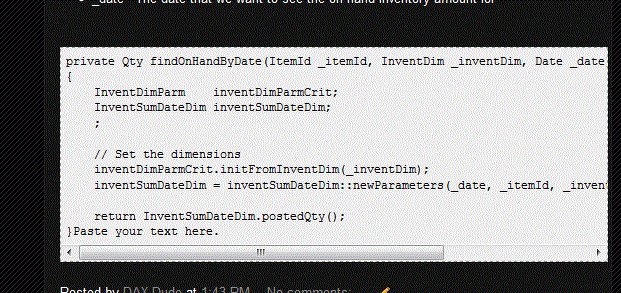
private Qty findOnHandByDate(ItemId _itemId, InventDim _inventDim, Date _date)
{
    InventDimParm    inventDimParmCrit;
    InventSumDateDim inventSumDateDim;
    ;

    // Set the dimensions
    inventDimParmCrit.initFromInventDim(_inventDim);
    inventSumDateDim = inventSumDateDim::newParameters(_date, _itemId, _inventDim, inventDimParmCrit);

    return InventSumDateDim.postedQty();
}

Monday, October 29, 2012

Check if XML node exists in AX

Depending on where the XML is coming from, an XML node without a value may not come through as </Node> or <Node></Node> where 'Node' is the attribute/element of interest in this example. It may be completely left out depending on how things were coded.

In AX, if a node does not exist in the XML document and we try to read a value from a node that doesn't exist, a stack trace error is thrown. This is obviously not good.  We may need to 1) verify the node exists in the XML and then 2) extract the value.

For scenarios where this occurs, to prevent a stack trace error, you can do the below in the example where we may not have a 'RecId' node in the incoming XML.


XmlDocument   itemAndDateXml;
XmlElement    xmlRoot;   
XmlNodeList   xmlRecordList;
XmlElement    xmlItemRecord;
int           itemCounter;


itemAndDateXml = new XmlDocument();
itemAndDateXml.loadXml(_xml); // this is the xml string
xmlRoot = itemAndDateXml.documentElement().getNamedElement('Items');
xmlRecordList = xmlRoot.childNodes();

for (itemCounter = 0; itemCounter < xmlRecordList.length(); itemCounter++)
{
    xmlItemRecord = xmlRecordList.item(itemCounter-1);

    id      = xmlItemRecord.getNamedElement('Id').text();
    variant = xmlItemRecord.getNamedElement('Variant').text();
    qty     = str2Int(xmlItemRecord.getNamedElement('Qty').text());
   
    // Make sure that the node exists or the system will throw a stack trace error
    if (xmlItemRecord.selectSingleNode('RecId'))
        recId = str2recId(xmlItemRecord.getNamedElement('RecId').text());
}