Wednesday, March 30, 2011

BOMConsistOf Report different in AX 2009 from 4.0

There was an issue where a customer upgraded from AX 4.0 to 2009 and reported a problem with the BOMConsistOf (Lines) report which prints items that the bills of materials are composed of, or versions used by the items.

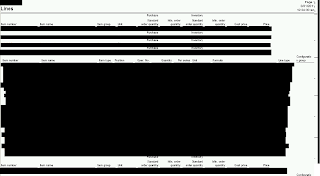
Figure 1 (AX 4.0) and 2 (AX 2009) below are the same X++ report and have the same code (even modified the XPO file to import the code from one to the other to assure that they are equal) but they still look different when run under the same data.

The strange thing is that this is coming from the same AX system (AX 2009) with the same code and data set.  The only difference is in name.  I exported the 4.0 report into a new report in AX with a new name to verify the differences, exported this XPO once the report matched the old one, then modified the XPO contents so it would import into the base report but still no success.

Thought I would note this on here if anyone is curious.  I fixed this issue by importing the 4.0 report to a new custom report in AX 2009 called 'BOMConsistOf_version40' and point the security key to the new report.  Works like a charm. Still don't know why this incongruency exists...


Figure 1 - BOMConsistOf report from AX 4.0

Figure 2 - BOMConsistOf report from AX 2009

Thursday, March 24, 2011

Error: CLR object cannot be marshaled to Microsoft Dynamics anytype

I was hitting a problem with marshaling a string from System.String to str datatype (X++). The error was 'CLR object cannot be marshaled to Microsoft Dynamics anytype' when I tried to convert them using the code below.  This is how I fixed it. Hope it helps you out...

System.String clrString;
str                  axString
;

clrString = Microsoft.Win32.Registry::GetValue(XXXX, XXXX, XXXX);

// This way does not work in AX 2009 despite what you read online
// axString = clrString;

// This is the way the marshaling needs to occur
regValue = System.Convert::ToString(clrString);

Monday, March 21, 2011

Consume AIF Inventory On Hand web service in AX PART 2 - WSDL request


This is the second part of the consuming AX 2009 AIF On Hand Inventory web service via C#. The first part was consuming an AIF web service using SOAP. This one is using WSDL

DocumentContext context;
WebReference.InventoryOnhandService ws;

// Populate Document Context
context = new DocumentContext();
context.SourceEndpoint = "DAT";
context.DestinationEndpoint = "DAT";
context.SourceEndpointUser = Environment.ExpandEnvironmentVariables("DOMAIN\\WEBSERVICEUSER");
// Invoke the Web Service
ws = new WebReference.InventoryOnhandService();
ws.Credentials = new NetworkCredential("WEBSERVICEUSER", "PASSWORD", "DOMAIN"); // System.Net.CredentialCache.DefaultCredentials; // Use the current user to authenticate in IIS
ws.Url = "http://99.999.99.99/inventoryonhandservice.asmx";

// Create new Guid
context.MessageId = Guid.NewGuid().ToString();

//Create Query Criteria
CriteriaElement myCriteria = new CriteriaElement();
myCriteria.FieldName = "ItemId";
myCriteria.Operator = Operator.Equal;
myCriteria.Value1 = "AX_ITEM";
myCriteria.DataSourceName = "InventSum";

QueryCriteria myQueryCriteria = new QueryCriteria();
myQueryCriteria.CriteriaElement = new CriteriaElement[1];
myQueryCriteria.CriteriaElement[0] = myCriteria;

// Call find list
WebReference.AxdInventoryOnhand ioh = ws.findListInventoryOnhand(context, myQueryCriteria);

// Display the result
Console.WriteLine(ioh.InventSum[1].ItemId);
Console.Read();

Consume AIF Inventory On Hand web service in AX PART 1 - SOAP request

Sample XML consumption in C# code to AIF Inventory On Hand. This is from AX 4.0 but I think it's the same in AX 2009.
try
{
     string strSoapEnvelope = "";
     string responseString = "";

     // Build SOAP envelope
     strSoapEnvelope = "<?xml version=\"1.0\" encoding=\"utf-8\"?>";
     strSoapEnvelope += "<soap12:Envelope xmlns:xsi=\"http://www.w3.org/2001/XMLSchema-instance\" xmlns:xsd=\"http://www.w3.org/2001/XMLSchema\" xmlns:soap12=\"http://www.w3.org/2003/05/soap-envelope\">";
     strSoapEnvelope += "<soap12:Body>";
     strSoapEnvelope += "<findListInventoryOnhand xmlns=\"http://schemas.microsoft.com/dynamics/2006/02/documents/InventoryOnhand\">";
     strSoapEnvelope += "<DocumentContext>";
     strSoapEnvelope += "<MessageId>" + Guid.NewGuid().ToString() + "</MessageId>";
     strSoapEnvelope += "<SourceEndpointUser> DOMAIN \\WEBSERVICESUSER</SourceEndpointUser>";
     strSoapEnvelope += "<SourceEndpoint>XXXXXXXXXXXXXXXX</SourceEndpoint>";
     strSoapEnvelope += "<DestinationEndpoint>ENDPOINT NAME</DestinationEndpoint>";
     strSoapEnvelope += "</DocumentContext>";
     strSoapEnvelope += "<QueryCriteria xmlns=\"http://schemas.microsoft.com/dynamics/2006/02/documents/QueryCriteria\">";
     strSoapEnvelope += "<CriteriaElement>";
     strSoapEnvelope += "<DataSourceName>InventSum</DataSourceName>"; strSoapEnvelope += "<FieldName>ItemId</FieldName>";
     strSoapEnvelope += "<Operator>Equal</Operator>";
     strSoapEnvelope += "<Value1>YYYYYYYYYYYYYYYYYY</Value1>";
     strSoapEnvelope += "</CriteriaElement>";
     strSoapEnvelope += "</QueryCriteria>";
     strSoapEnvelope += "</findListInventoryOnhand>";
     strSoapEnvelope += "</soap12:Body>";
     strSoapEnvelope += "</soap12:Envelope>";
     MSXML2.XMLHTTP xmlHTTP = new XMLHTTP();
     xmlHTTP.open("Post", "http://ZZZ.ZZ.ZZ.ZZZ:ZZZZ/inventoryonhandservice.asmx", false, @"DOMAIN\WEBSERVICESUSER", " PASSWORD");
     xmlHTTP.setRequestHeader("Host", "99.999.99.99");
     xmlHTTP.setRequestHeader("Content-Length", strSoapEnvelope.Length.ToString());
     xmlHTTP.setRequestHeader("Content-Type", "application/soap+xml; charset=utf-8");
     xmlHTTP.send(strSoapEnvelope.ToString());

     responseString = xmlHTTP.responseText.ToString();
     MessageBox.Show(string.Format("XML: {0}", responseString.ToString()));

     WebClient webby = new WebClient();
     webby.Encoding = System.Text.Encoding.UTF8;
     webby.Credentials = new NetworkCredential("WEBSERVICESUSER ", "PASSWORD", " DOMAIN");
     webby.Headers.Add("Content-Type", "text/xml;");
     string stuff = webby.UploadString("http://99.999.99.999/inventoryonhandservice.asmx", "POST", strSoapEnvelope.ToString());

     MessageBox.Show(stuff);
}
catch (Exception ex)
{
     MessageBox.Show(ex.ToString());
}
AIF Integration Differences: .NET BC vs XML integration to AX 2009 web service


I've received a question from a customer: 'We have two vendors who are integrating into AX using the same AIF web service except that one integration has the failed XMLs in the AX Queue Manager (Basic -> Periodic -> Application Integration Framework -> 'Queue Manager') but the other doesn't have a record in there. Both integrations, when they have transaction errors, show up in the Exceptions form (Basic -> Periodic -> Application Integration Framework -> 'Exceptions'). What gives?'

Good question! Here are two ways to integrate into AX's AIF: 1) .NET BC or 2) XML (eg SOAP, WSDL). From the scenario above, it sounds like the vendors are each using a different integration type. The one with failed XMLs in the AX Queue Manager is using the XML hitting the web service method while the other that is just showing errors in the Exceptions form is using the .NET BC.

When using the .NET BC integration method, the AX Queue Manager is not used as this feature is used for XMLs and parsing the data from them into the AIF web service AX components.  The .NET BC way is not using XMLs, but instead, writes the data directly to the AIF web service AX components completely bypassing the XML step (hence no record in the Queue).

Both methods are using the AIF framework objects which is why the errors relating to AX data are all showing up in the Exceptions form.

The XML integration way handles resubmitting failed data through the AX Queue Manager. Without AX modifications, the .NET BC will need to have an external way of resubmitting failed data to the web service.

With this in mind, depending on the application, both ways have their pros and cons. Hope this helps explain the issue my customer saw above.

For an example of the XML Consumption of the Inventory On Hand service in C#, check my other blog posts on here somewhere with some name (descriptive right??).

Thursday, March 17, 2011

AX Error: Cannot execute a data definition language command on (). The SQL database has issued an error


If you are seeing the error 'Cannot execute a data definition language command on (). The SQL database has issued an error', this is how you can resolve it.


Step 1 – Synchronize the SQL database
  1. Navigate to Administration module -> Periodic -> 'SQL Administration'
  2. Select the table and click table actions check/synchronise
    1. Sometimes you will not be able to determine which tables are causing the error so just do this for all
  3. Click 'Start' with the default options.
     
Step 2 – Step 1 with 'Remove unknown indexes' in the check/synchronise step
  1. Follow steps 1 and 2 from step 1
Step 3 – Check the Event Viewer (SQL and AOS box)
  1. This should give you a good indication on where to go for the issue going forward as there could be index violations.

Wednesday, March 16, 2011

AX 2009 AIF Common Errors


Hello. You may be looking at this posting because you are going bald over dealing with the AIF. This blog post will be growing as I add more. I don't want to have it accumulate in my ToDo bin waiting to remember all of the errors.

Common errors in the AIF: 
  1. On the AIF Queue Manager form (Basic -> Periodic -> Application Integration Framework -> 'Queue Manager')
    'The user is not authorized to perform this action'
    You will want to check the XML node <SourceEndpointUser> on the XML that failed to make sure that a few things are true:
  • The user is valid in AX
  • The valid AX user is added to the endpoint
  • The domain is included in on the user (eg the source endpoint text would look like this: TEST_DOMAIN\PeeWee.Herman)
  • Make sure the '\' in the name is facing the correct direction